Researchers with defined roles
Use role-specific instructions to divide work such as literature search, study design, analysis, writing and review.
An AI research workspace for clinicians
AI researchers who find literature, analyze data,
and help write and review manuscripts.
Build your own lab on your computer.
New here? Start with Basic in the Claude app.
Original video retained: interface text and captions are in Korean. Follow the English instructions on this page; folder names and commands are unchanged.
Research direction and final decisions stay with you.
Organize data and handle repetitive tasks with AI researchers.
MEET YOUR LAB
An AI agent reads materials and performs tasks according to its assigned role and instructions. My AI Agent Lab brings those roles, research files and progress records into one workspace.
Use role-specific instructions to divide work such as literature search, study design, analysis, writing and review.
Keep the protocol, data, analysis results and manuscript together. The conversation opened in that folder works on that study.
A new conversation reads the progress records to identify the next task. The dashboard shows the status of each study.
Your lab is a working folder
Download and extract the setup package, then open the folder in Claude. Follow the guide to connect the team instructions and prepare for research.
START WITH YOUR QUESTION
A single question is enough. Studies do not all need to follow the same sequence.
Try asking this
“I am interested in the relationship between cardiac rehabilitation participation and readmission after acute myocardial infarction. Refine this into a researchable question and identify the data needed.”
Research question · Literature search direction · Required variables and candidate study designs
These are examples. Carry out the actual work in a Claude conversation with your research folder selected.
YOUR RESEARCH COLLEAGUES
Eight roles support your research. You review the plans and results and decide what to do next.

Find prior studies and supporting evidence

Refine questions and protocols

Organize variables and data

Run analyses and create tables and figures

Turn results into a manuscript draft

Examine weaknesses in methods and interpretation

Check references and supporting evidence

Document decisions and progress
The illustrations represent roles. Researchers do not all run simultaneously; instructions and skills are used as needed for each task.
SEE YOUR PROGRESS
Bring teams, research stages and next tasks together in a dashboard. It reflects the latest saved records; update those records to refresh the overview.
Open an example dashboard ↗ (Korean)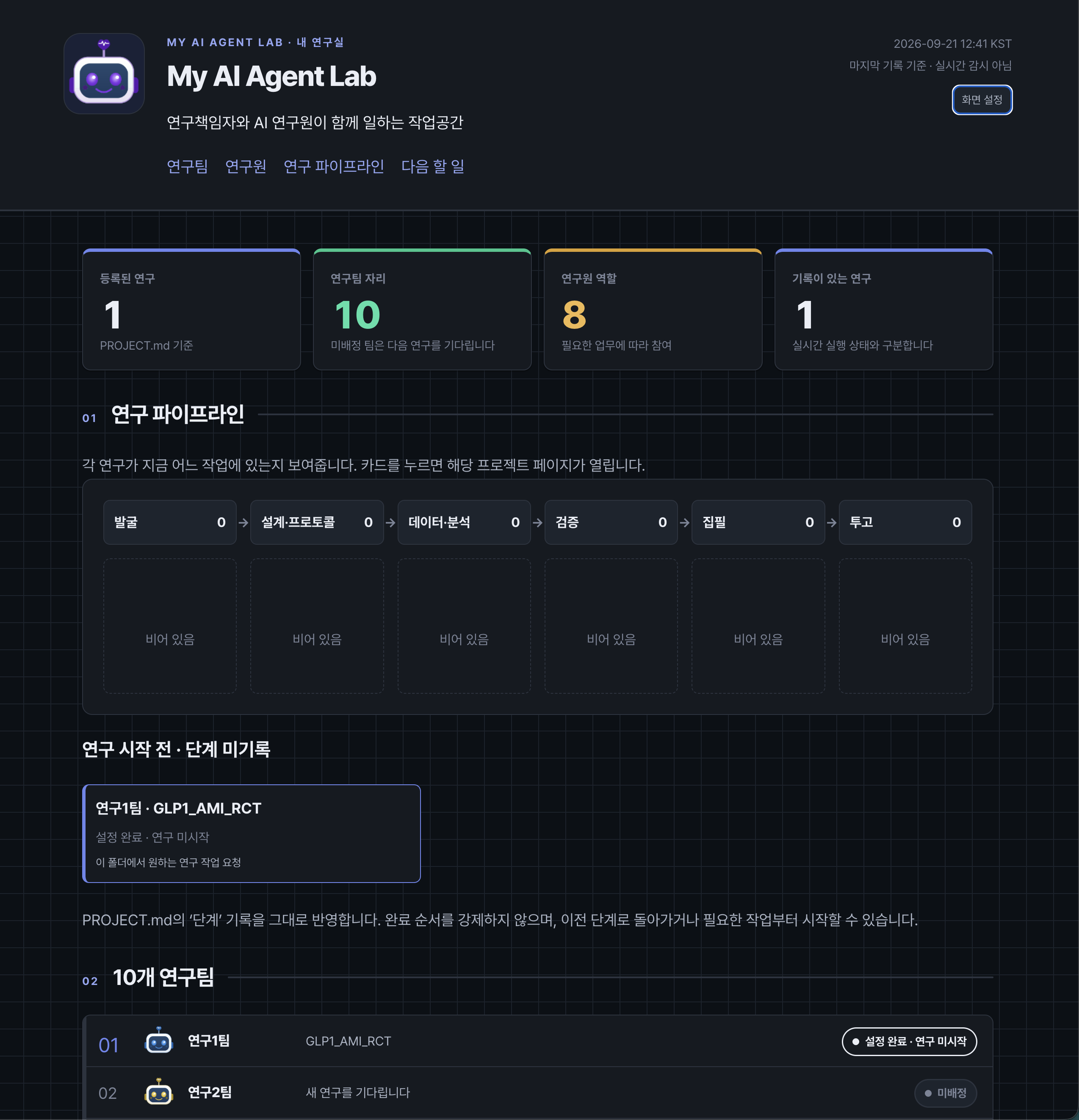 (Korean)
BUILD YOUR OWN LAB
Both routes prepare the same lab.
Choose the working environment that suits you.
Basic
Select a folder in the app's Code view and follow the ready-to-copy prompts to set up your lab.
Advance
View files, AI conversations and results together, and use separate windows for different studies.
The setup guides and team files on this site are free. Claude usage is billed separately, and you need an account with access to Claude Code.
BEFORE YOU START
Basic guides you through installing the Claude app, selecting a folder and copying prompts. Videos also show how to install tools such as Python to run analyses.
This site provides instructions and team files. Work takes place in Claude with a folder selected on your computer. Content read by Claude may be sent to its service, so use anonymized patient data and check your institution's usage requirements.
Ask it to review the protocol and data and report a work plan first. After you review and approve the plan, it proceeds with analysis and drafting. You must check the numbers, interpretations, references and final manuscript.
Both routes use the same research-team folder. Keep your files and records and open the folder in VS Code to continue. Ask each new conversation to read the instructions and prior records.